Your Email List Has a Trust Chain. Check Every Link.

Your Email List Has a Trust Chain. Check Every Link.
You send a useful update to people who once signed up to hear from you. The message looks good. The links work. The list is larger than it was last month.
Yet some recipients do not remember joining. Others expected a monthly field note and now receive weekly promotions. Your email platform says the campaign was sent, but that does not tell you whether the sender was verified, whether the message reached an inbox, or whether people still welcome it.
This is the email problem small teams often miss. They optimize the message while the path around it weakens.
An email program depends on four connected promises: permission, identity, expectation, and exit. A break at any link can damage trust, even if the other three are sound.
The stakes are practical. Gmail's sender requirements apply to mail sent to personal Gmail accounts, with additional requirements for senders above its bulk threshold. Gmail says it began ramping up enforcement on noncompliant traffic in November 2025, including temporary and permanent rejections. Yahoo's sender guidance also connects authentication, low complaint rates, and easy unsubscribe with delivery. Neither provider promises inbox placement simply because a sender follows the rules.
1. Permission: Can you explain why each person is here?
An address in a database is not the same as a clear invitation to keep emailing someone.
Look at the moment people join. Does the form say what they will receive and roughly how often? Is the choice separate from an unrelated purchase, download, or event registration? Can your team tell which form, event, or request added a subscriber?
For subscription messages to personal Gmail accounts, Google advises senders to confirm an address after signup, a practice often called double consent. Yahoo advises sending only to people who specifically requested the mail and warns against purchased lists and prechecked opt-in boxes.
The operating question is simple: if someone asks, “Why am I receiving this?” can you give a specific answer without guessing?
If you cannot, pause that segment. Trace its origin and decide whether a new invitation, a narrower message, or removal is the honest next step.
2. Identity: Can inbox providers verify the sender?
People see a name and address. Mailbox providers also check technical signals that help establish whether a message is authorized to come from the domain it claims to represent.
For all senders to personal Gmail accounts, Google calls for SPF or DKIM authentication, along with other requirements. For those sending more than 5,000 messages a day to personal Gmail accounts, its additional requirements include both SPF and DKIM, a DMARC policy, and alignment between the visible From domain and an authenticated domain. Google documents those tiers here. Yahoo likewise requires SPF or DKIM for all senders and adds SPF, DKIM, and DMARC requirements for bulk senders; Yahoo does not publish a fixed bulk-volume threshold.
You do not need to become a mail engineer to own this link. You do need to know who manages your domain, which platforms send mail on your behalf, and who checks authentication when a tool or domain changes. Ask your email provider or technical partner to verify the live configuration and explain any failures in plain language.
Technical setup is a foundation, not a substitute for wanted mail. An authenticated message can still disappoint a subscriber.
3. Expectation: Does the message match the invitation?
A person may have willingly joined and still feel misled later. Perhaps the original promise was a monthly briefing, but the list now gets a promotion every few days. Perhaps a nonprofit's program update has quietly become an appeal-only channel.
Yahoo's guidance explicitly tells senders to honor the frequency and intent of the list. Google's subscription guidance encourages senders to distinguish their subscription lists and to separate subscription mail from transactional messages such as receipts or password resets.
Read the current signup copy beside the last 3 emails. Compare their subject lines, purpose, frequency, and sender name. Would a new subscriber recognize the relationship? Would a longtime subscriber still know what this list is for?
If the answer is no, repair the promise or the program. Better subject lines will not solve a mismatch in purpose.
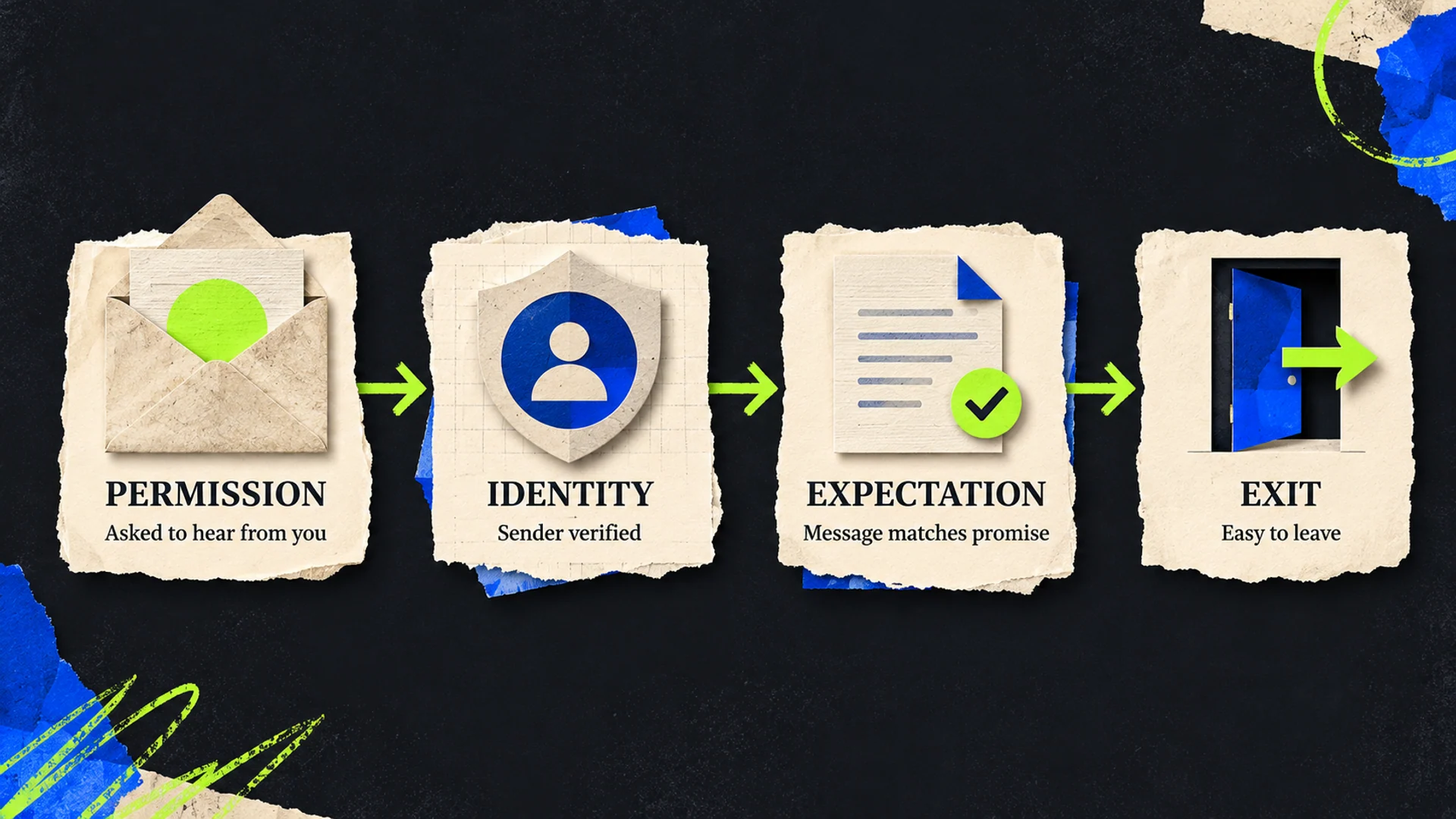
4. Exit: Can someone leave without friction?
An unsubscribe is part of a trustworthy relationship. It gives people control and gives your team a clearer signal than a spam complaint.
For marketing and subscribed mail from bulk senders, Gmail requires one-click unsubscribe and a visible unsubscribe link in the message body. Its subscription guidance says to honor unsubscribe requests within 48 hours. Yahoo also calls for a functioning list-unsubscribe mechanism, a visible body link, and honoring requests within 2 days for bulk senders. The exact technical method matters: a link to a preferences page in the body alone does not satisfy Gmail's one-click header requirement.
Send a real test message to accounts you control. Check the visible link and the provider's unsubscribe control where available. Follow the process all the way to the suppression record. Then confirm the address stays out of the next marketing send.
Do not treat a growing list as success if people cannot leave it cleanly.
A 30-minute trust-chain audit
Pick one active subscription list and one recent campaign. Assign an owner to each question.
Permission: What exact signup language did subscribers see? Can you identify the source of each major segment?
Identity: Which domain and tools send the mail? Has someone verified SPF, DKIM, and any applicable DMARC and alignment requirements?
Expectation: Do the last 3 messages match the promised topic, sender, and frequency?
Exit: Can a recipient unsubscribe easily, and does the request reach the suppression list promptly?
Write down the weakest link, the evidence you found, and one repair with an owner and date. If you send enough mail for Gmail Postmaster Tools' Compliance status dashboard to show data, use it as one diagnostic. Google notes that the dashboard is not real time and may omit data when volume is low. Do not turn an empty dashboard into a clean bill of health.
The point is to make sure the relationship your email represents is still real, recognizable, and easy to control.
NEXILUS helps small businesses and nonprofits connect their marketing systems to the experience they promise. If your email program has grown faster than its operating rules, let's talk about a focused review and a practical repair plan.